How to convert a PDF to Markdown
- Download Sankore and open it. It’s a native Mac app for Apple Silicon (M1 and later). Converting single files is free, with no account and no time limit.
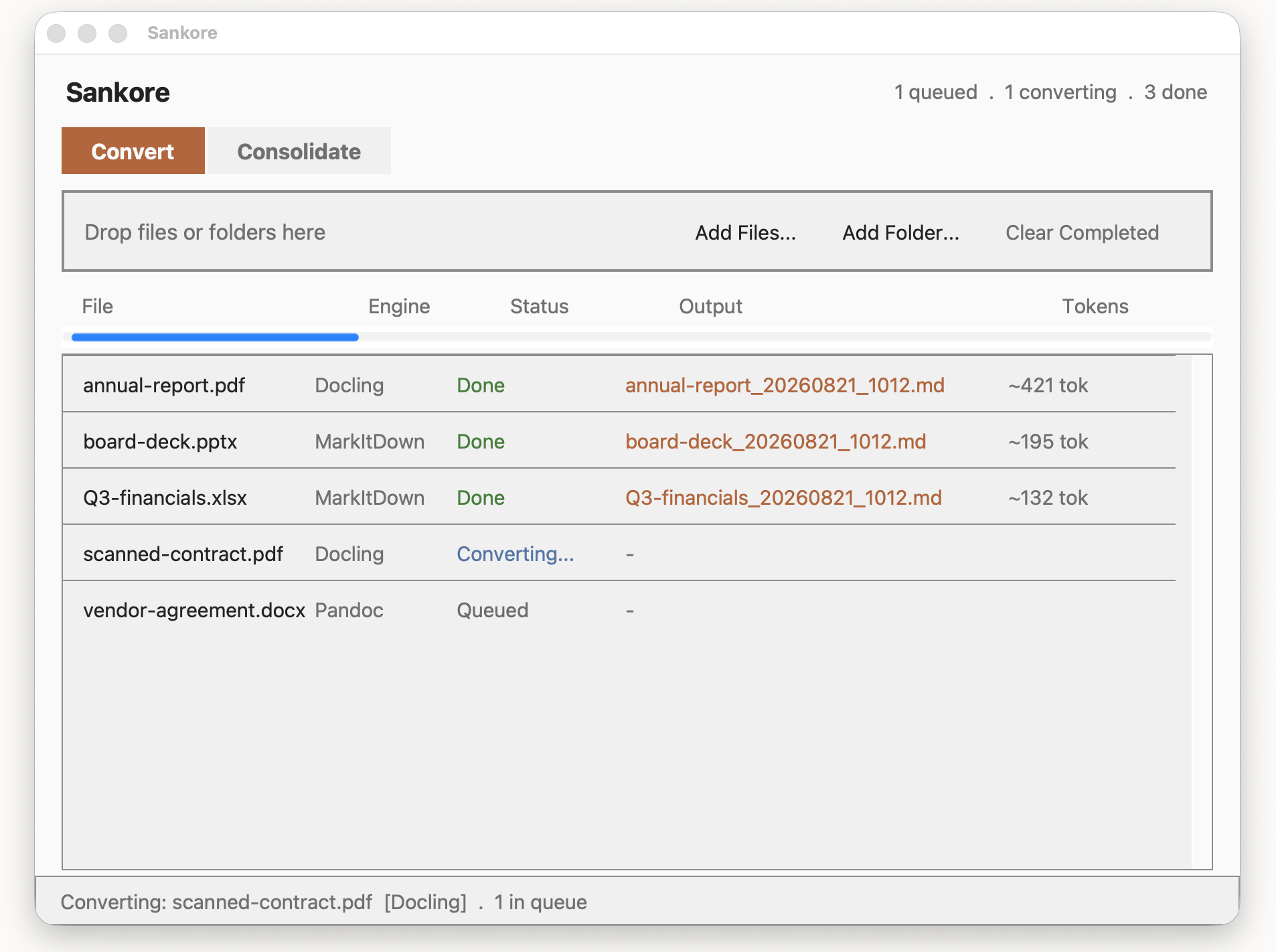
- Drop your PDF onto the Convert tab. Or click Add Files… and pick it. Conversion starts straight away, and you can watch it in the list.
- Open the Markdown file. By default it’s saved next to your PDF, named after it with the date and time added, for example
annual-report_20260821_1012.md. You can choose a fixed output folder in Settings instead.
What comes through
- Structure, not just text. Headings, lists and tables are kept as Markdown headings, lists and tables, so the document still reads the way it was laid out.
- Scanned PDFs. Pages that are images of text go through on-device OCR in most major languages, so paper archives become usable text too.
- Images, your way. In Settings, choose whether images from a PDF stay embedded in the Markdown file or are extracted to separate files alongside it.
- A token estimate. Every conversion shows roughly how many tokens the output is, so you know what you’re about to paste into Claude or ChatGPT before you do. It’s a heuristic estimate, not an exact count from a specific model.
Sankore picks the conversion approach for each document by type, so a scanned contract and a digitally created report are each handled the way that suits them.
Why convert PDFs to Markdown?
PDF is built for printing: it records where each piece of text sits on a page, not what the text is. Copy-pasting from a PDF often loses tables, merges columns and breaks headings.
Markdown is plain text that keeps the structure in the text itself. # marks a heading, | marks a table column. That makes it a good format for:
- AI tools like Claude and ChatGPT, which read structure far more reliably from Markdown than from a pasted PDF. See preparing documents for Claude and ChatGPT.
- Notes apps like Obsidian that store notes as Markdown.
- Search and version control, since it’s ordinary text that any tool can read and compare.
No upload, by design
Online PDF converters ask you to upload the file to a server you know nothing about. That’s a hard sell for a contract, a medical record or a board pack. Sankore does the whole conversion on your Mac, including OCR. There is no upload step, because there is nowhere to upload to. Nothing about your files is transmitted, seen or stored by us.
Many PDFs at once
Free converts one file at a time, as many times as you like. Sankore Premium adds batch processing, so you can drop a whole folder of PDFs in one go, and Consolidate, which merges the converted files into a single Markdown file with a clear heading for each source. That’s one paste into Claude instead of twelve uploads. Premium is a one-time purchase, with no subscription. See pricing.
Questions
Is it really free?
Yes. Converting PDFs to Markdown one file at a time is free, with unlimited conversions and no time limit. Only batch processing and Consolidate need Premium.
Does it work offline?
Conversion does. Everything, including OCR, runs on your Mac, which is why the download is large: it includes the on-device models that read scanned pages and page layouts. The app separately checks for updates and, if you buy Premium, verifies your licence. Neither sends anything about your documents.
Can it convert other formats?
Yes. Besides PDF, Sankore converts Word, Excel, PowerPoint, CSV, HTML, EPUB, Outlook .msg and Jupyter notebooks, among others.
Will it run on my Mac?
Sankore needs an Apple Silicon Mac (M1 or later) running macOS 15.7 Sequoia or newer. It doesn’t run on Intel Macs, Windows, Linux, iPad or in a browser.