Claude and ChatGPT already read PDFs. Why convert first?
You can upload a PDF to either of them directly. Converting it to Markdown first still helps, for four reasons:
- You see exactly what the AI will read. A PDF can hide a badly scanned page or a table that came out scrambled. With Markdown you can read the text first, fix it, cut the pages you don’t need, or remove anything you’d rather not send.
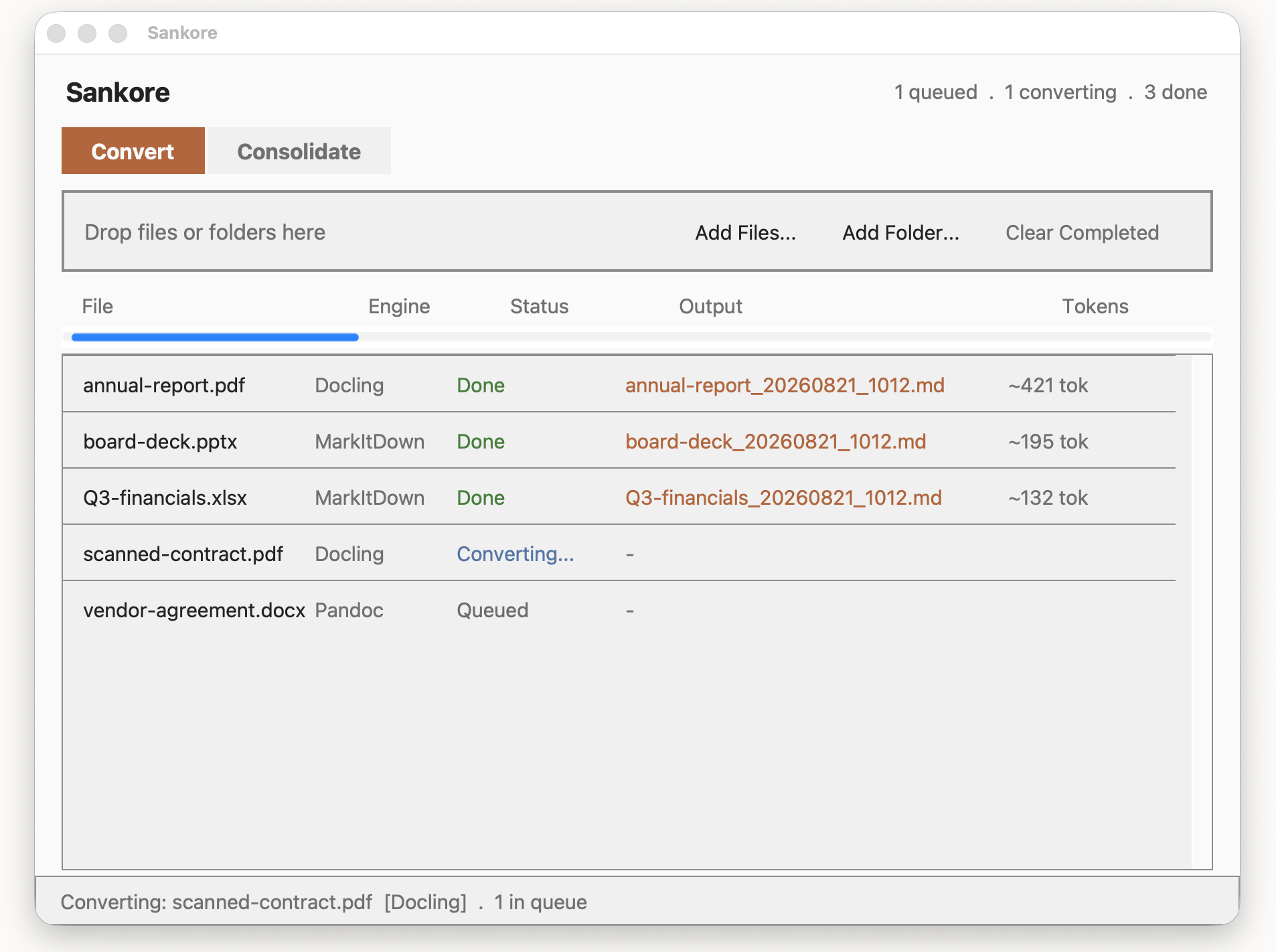
- You know the size before you paste. Every conversion shows an estimated token count, so you can tell whether a document will fit comfortably in a conversation before you try.
- Many documents become one. Instead of uploading twelve files, you merge them into one Markdown file and paste it once.
- You keep a reusable copy. The Markdown file is yours. Paste it into Claude today, ChatGPT tomorrow, or a note in Obsidian, without converting again.
Know the size before you paste
Claude and ChatGPT measure text in tokens, and every conversation has a limit on how many it can hold. Sankore shows an estimated token count next to every converted file, so a 40-page report doesn’t surprise you halfway through a conversation.
It’s a heuristic estimate of the output size, not an exact count from a specific model’s tokenizer, so treat it as a good guide rather than a precise figure.
A whole folder, one paste
Consolidate merges converted Markdown files into one. Drop them onto the Consolidate tab, put them in the order you want, give the result a name, and Sankore writes a single file that starts with a table of contents, then gives each document its own heading and source line:
Because each document keeps its own heading, you can ask the AI about “the amendment” or “exhibit A” by name. If a document yielded very little readable text, for example a poor scan, Consolidate marks it [LOW TEXT] in the contents and warns you to check the original, so a gap doesn’t pass silently to the AI.
Consolidate and batch conversion are part of Sankore Premium, a one-time purchase with no subscription. See pricing.
What goes to the AI is your choice
Sankore converts your documents on your Mac. There is no upload step, and no online converter ever sees the file. Nothing about your files is transmitted, seen or stored by us.
To be clear about the next step: when you paste text into Claude or ChatGPT, that text goes to that service, under its own terms. Converting first means you decide exactly what that text is, because you can read and trim it before you send it. If a document must not leave your Mac at all, the same Markdown file works with AI models that run locally on your Mac.
How it works
- Convert. Drop your PDFs, Word files, spreadsheets or slide decks onto the Convert tab. Each becomes a Markdown file, saved next to the original by default, with its token estimate shown in the list.
- Consolidate (Premium, optional). Drop the converted
.mdfiles onto the Consolidate tab, order them, and merge them into one. - Paste or attach. Open the Markdown file and paste it into Claude or ChatGPT, or attach the file directly.
Only have one PDF to convert? See how to convert a PDF to Markdown on your Mac.
Questions
Does it only work with Claude and ChatGPT?
No. The output is ordinary Markdown, so it works with any AI tool that accepts text, including Gemini and models you run locally, as well as notes apps like Obsidian.
Is the token count exact?
No. It’s a heuristic estimate, meant to tell you roughly how big the output is. Different models count tokens slightly differently.
What’s free and what’s Premium?
Converting documents one at a time is free, with unlimited conversions and no time limit, and the token estimate is included. Premium adds batch conversion and Consolidate.
Which formats can it convert?
PDF (including scanned PDFs, via on-device OCR in most major languages), Word, Excel, PowerPoint, CSV, HTML, EPUB, Outlook .msg and Jupyter notebooks, among others.
Will it run on my Mac?
Sankore needs an Apple Silicon Mac (M1 or later) running macOS 15.7 Sequoia or newer. It doesn’t run on Intel Macs, Windows, Linux, iPad or in a browser.